
Teachable made it easy to get started selling courses. But as your business grows, the cracks start to show.
A 7.5% transaction fee on the Starter plan. Only five products allowed. No built-in community. Removing Teachable's branding requires the $189/month Growth plan.
These limits push creators to either pay more or build workarounds. Neither is ideal when you're trying to focus on growing your business.
The good news: you don't have to work around those limitations. Several platforms offer better pricing, more features at entry-level tiers, and tools Teachable simply doesn't provide.
We researched and compared 12 Teachable alternatives across pricing, features, transaction fees, community tools, and scalability to help you find the best fit for where your business is headed.
Whether you're a coach building a membership community, a course creator who needs zero transaction fees, or someone who just wants a simpler platform that doesn't nickel-and-dime you on every upgrade, there's a better option below.
Teachable Alternatives at a Glance
Before diving into the details, here's a quick side-by-side comparison of every platform in this guide:
PlatformBest ForStarting PriceTransaction FeesCommunityFree TrialCustomerHubPost-sale delivery & onboarding$40/mo0%✅30 daysKajabiAll-in-one marketing$89/mo0%✅14 daysThinkificCustomizable course platform$49/mo0% on paid plans✅14 daysPodiaBudget-friendly simplicity$33/mo5% on Mover✅30 daysMighty NetworksCommunity-first learning$79/mo2% on Launch✅14 daysLearnWorldsInteractive video courses$29/mo$5/enrollment✅30 daysCircleCommunity + courses combined$89/mo2% on Professional✅14 daysSkoolCommunity-led learning$9/mo10% on Hobby✅14 daysFreshLearnAffordable course creationFree0% on free plan❌Free planSysteme.ioFree all-in-one optionFree0%❌Free planLearnDashWordPress power users$199/yrVaries by pluginVia pluginDemoThriveCart Learn+One-time payment + LMS$495 one-time0%❌30-day guarantee
Now let's look at what's pushing creators away from Teachable, and what each alternative brings to the table.
What's Wrong With Teachable in 2026?
Teachable is still a capable course platform for beginners, but several pricing and feature limitations make it harder to justify as your business grows.
7.5% Transaction Fees on the Starter Plan
This is the biggest pain point. Teachable's $39/month Starter plan charges a 7.5% transaction fee on every sale, on top of Stripe's standard 2.9% + $0.30 processing fee.
That means the effective rate per transaction on Starter is roughly 10.4% + $0.30.
Here's what that looks like in practice:
Monthly RevenueTeachable Starter Fees (7.5%)Stripe Fees (~2.9% + $0.30)Total Fees% of Revenue$1,000$75~$35~$11011.0%$3,000$225~$99~$32410.8%$5,000$375~$160~$53510.7%$10,000$750~$320~$1,07010.7%
A creator earning $5,000/month on the Starter plan loses over $535 in fees every month — that's $6,420 per year — before counting the $39 subscription.
To eliminate transaction fees, you need to upgrade to the Builder plan at $89/month.
Only 5 Products on the Starter Plan
Teachable's Starter plan limits you to five products total. If you sell courses, coaching sessions, digital downloads, and memberships, you'll hit that ceiling fast.
Even the Builder plan ($89/month) only allows 10 products, and you need the Growth plan ($189/month) for 50.
For comparison, CustomerHub includes unlimited products on every plan starting at $40/month.
No Built-In Community
Teachable doesn't include native community features. There's no discussion forum, member feed, or built-in space for students to interact with each other or with you.
If you want community, you'll need to bolt on an external tool — Facebook Groups, Circle, Discord, or something else. That fragments the student experience and adds cost.
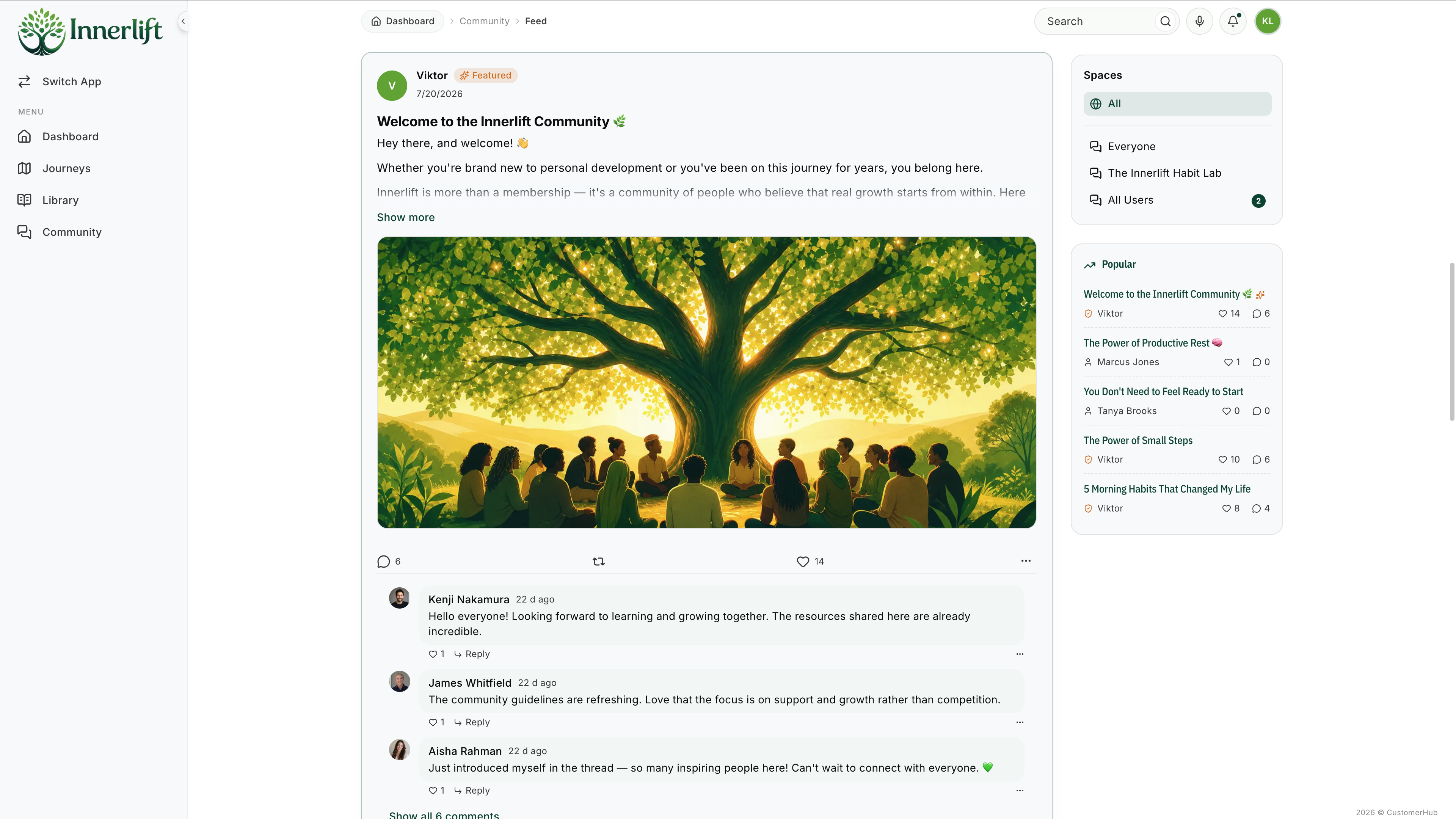
Community is increasingly important for course completion and retention. Platforms like CustomerHub, Mighty Networks, Circle, and Skool include it natively.
Removing Branding Requires the Growth Plan ($189/month)
Teachable's branding stays on your course site unless you upgrade to the Growth plan at $189/month. For creators who care about presenting a professional, branded experience, this is a steep price just to remove someone else's logo.
7-Day Free Trial (Shortest in the Market)
Most platforms offer 14 to 30-day free trials. Teachable gives you 7 days. That's barely enough time to build a course, set up payments, and test the student experience before committing.
Active Student Limits
Teachable now caps active students per plan:
If you're running a growing course business, hitting student caps means forced upgrades — even if you don't need additional features.
Consider this: if you've sold 101 lifetime-access courses, you need the Builder plan at $89/month just because of the student count — regardless of whether you need any of Builder's other features. On CustomerHub, there are no student limits on any plan.
Teachable's Full Pricing Breakdown (2026)
Here's the complete pricing structure so you can see exactly what each tier includes:
FeatureStarter ($39/mo)Builder ($89/mo)Growth ($189/mo)CustomTransaction Fee7.5%0%0%0%Products51050CustomActive Students1001,0005,000CustomAdmin Users115CustomAffiliate Program❌✅✅✅Course Certificates❌✅✅✅Remove Branding❌❌✅✅Real-Time Support❌✅✅✅Free Subtitles❌❌✅✅Annual Pricing$29/mo$69/mo$139/moCustom
Prices shown are monthly rates. Annual billing reduces costs by roughly 22%.
12 Best Teachable Alternatives
Now that you know what's driving creators away from Teachable, here are 12 platforms that solve these pain points — each with different strengths depending on your business model.
1. CustomerHub
If you're looking for a simpler, faster way to deliver courses, memberships, and onboarding experiences without transaction fees, CustomerHub is the strongest Teachable alternative for creators who want everything in one branded portal.
Unlike Teachable, which charges 7.5% on its entry plan and limits you to 5 products, CustomerHub gives you unlimited products, unlimited users, and zero transaction fees from day one.
Key Features:
Pros ✅
Cons ❌
Pricing:
PlanPriceTransaction FeesBest ForOnboard$40/mo0%Getting started — onboarding, file delivery, basic communityEducate$65/mo0%Courses, memberships, digital productsEngage$107/mo0%Full community, advanced engagement features
All plans include a 30-day free trial.
Best for: Coaches, program creators, and community builders who want a clean, branded portal for everything after the sale — without transaction fees or product limits.
Related: See how CustomerHub compares to Kajabi and other membership site platforms.
2. Kajabi
Kajabi is an all-in-one platform that combines course hosting with email marketing, sales funnels, website building, and community — all under one roof.
If your biggest frustration with Teachable is needing separate tools for marketing and sales, Kajabi consolidates everything. It's one of the few platforms where you can build landing pages, run email sequences, and host courses without any third-party tools.
Key Features:
Pros ✅
Cons ❌
Pricing:
PlanPriceProductsContactsActive StudentsStarter$89/mo31,000UnlimitedGrowth$159/mo1510,000UnlimitedPro$319/mo100100,000Unlimited
Best for: Creators who want marketing, sales, and course delivery in one platform and are willing to pay more for the convenience.
3. Thinkific
Thinkific is a dedicated course platform with strong customization options and zero transaction fees on paid plans.
If your main issue with Teachable is transaction fees and product limits, Thinkific solves both — its paid plans start at $49/month with 0% transaction fees and more generous product allowances.
Key Features:
Pros ✅
Cons ❌
If you're weighing these two platforms, we have a detailed Thinkific alternatives and our Thinkific vs Teachable comparison comparison guide.
Pricing:
PlanPriceStripe SurchargeKey LimitBasic$49/mo5%5 courses, 1 communityStart$99/mo2%Unlimited courses, membershipsGrow$199/mo1%Branded app, advanced analyticsPlusCustom0%Enterprise features
Best for: Creators who want more course customization than Teachable with zero transaction fees and are comfortable handling their own marketing.
4. Podia
Podia is a clean, simple platform for selling courses, digital downloads, memberships, webinars, and coaching from one dashboard.
If Teachable feels too rigid and you want an affordable platform that's easy to use without a steep learning curve, Podia is worth considering.
Key Features:
Pros ✅
Cons ❌
Pricing:
PlanPriceTransaction FeeKey FeaturesMover$33/mo5%Courses, downloads, coaching, emailShaker$75/mo0%+ Community, affiliates, embedded checkout
Best for: Solo creators who want a budget-friendly, all-in-one platform that handles email marketing and multiple product types without complexity.
5. Mighty Networks
Mighty Networks puts community at the center of the learning experience. Instead of courses being the product with community bolted on, Mighty treats community as the foundation with courses woven in.
If your biggest frustration with Teachable is the lack of community features, Mighty Networks is the opposite approach.
Key Features:
Pros ✅
Cons ❌
Pricing:
PlanPriceTransaction FeeKey FeaturesLaunch$79/mo2%Community, courses, events, basic analyticsGrow$119/mo1%Branded app, automations, advanced analyticsScale$249/mo0%White-label, API access, priority support
Best for: Creators who believe community drives completion and retention — coaches, cohort-based programs, and membership communities.
Related: If community is your priority, also check out our guide to community platforms.
6. LearnWorlds
LearnWorlds stands out for interactive video-based learning. If your courses are video-heavy and you want features like in-video quizzes, note-taking, and interactive transcripts, LearnWorlds has the most advanced video toolkit of any platform on this list.
Key Features:
Pros ✅
Cons ❌
Pricing:
PlanPriceTransaction FeeKey FeaturesStarter$29/mo$5/enrollmentUnlimited courses, custom domainPro Trainer$79/mo0%Community, certificates, SCORMLearning Center$249/mo0%White-label app, advanced analyticsHigh Volume & CorporateCustom0%Enterprise features
Best for: Video-heavy course creators who want interactive learning features, corporate trainers who need SCORM compliance, and educators who prioritize detailed analytics.
7. Circle
Circle combines community forums with course hosting, making it a strong option if you want community to be the core of your offering with structured courses alongside it.
Circle recently expanded from a pure community platform to include a full course builder, making it a legitimate alternative for creators leaving Teachable.
Key Features:
Pros ✅
Cons ❌
Pricing:
PlanPriceTransaction FeeKey FeaturesProfessional$89/mo2%Community, courses, events, workflowsBusiness$199/mo0.5%Advanced branding, automationsEnterpriseCustom0%White-label, dedicated support
Best for: Creators who want a combined community + course experience with a modern interface and strong engagement tools.
Related: Circle and Mighty Networks are often compared. For a broader view, see our guide to e-learning platforms.
8. Skool
Skool takes the simplest possible approach to community-based learning. It combines a discussion feed with a structured course area and gamification — all for $9/month on its entry-level plan.
If you're frustrated by Teachable's complexity and pricing, Skool is the polar opposite.
Key Features:
Pros ✅
Cons ❌
Pricing:
PlanPriceTransaction FeeKey FeaturesHobby$9/mo10%Community, classroom, eventsBasic$49/mo3%Custom domain, priority supportGrowth$149/mo0%Advanced analytics, automation
Best for: Creators who prioritize community engagement and simplicity over advanced course creation features. Great for coaches running paid communities with lightweight course content.
9. FreshLearn
FreshLearn is an affordable course creation platform with a free plan that includes zero transaction fees — a rare combination.
If you're looking for a Teachable alternative that lets you start selling for free without losing a percentage of every sale, FreshLearn is worth a look.
Key Features:
Pros ✅
Cons ❌
Pricing:
PlanPriceTransaction FeeKey FeaturesFree$00%5 courses, unlimited students, basic featuresPro$29/mo0%Unlimited courses, custom domain, drip contentPro+$49/mo0%Memberships, bundles, priority support
Best for: Budget-conscious creators who want to start for free without transaction fees and don't need advanced community or marketing tools.
10. Systeme.io
Systeme.io is a free all-in-one platform that combines course hosting with email marketing, sales funnels, and automation.
If you're frustrated by Teachable's limited marketing tools and the cost of adding third-party software, Systeme.io bundles everything for free up to a generous limit.
Key Features:
Pros ✅
Cons ❌
Pricing:
PlanPriceTransaction FeeKey FeaturesFree$00%3 courses, 2,000 contacts, funnels, emailStartup$27/mo0%10 courses, 5,000 contacts, A/B testingWebinar$47/mo0%50 courses, 10,000 contacts, webinarsUnlimited$97/mo0%Unlimited everything
Best for: Budget-conscious creators who want course hosting, email marketing, and sales funnels in one free tool — and don't mind a less polished interface.
11. LearnDash
LearnDash is a WordPress plugin that turns any WordPress site into a full learning management system. If you already run a WordPress site and want complete control over your course platform, LearnDash gives you that level of ownership.
Key Features:
Pros ✅
Cons ❌
Pricing:
PlanPriceIncludesLearnDash LMS$199/yrPlugin license, unlimited courses, ProPanelLearnDash Cloud$29/moHosted WordPress + LearnDash (managed)
Best for: WordPress power users who want full control over their LMS, corporate trainers who need SCORM/xAPI compliance, and technical creators who prefer self-hosted solutions.
Note: LearnDash is best suited for creators who are comfortable with WordPress. If you're not technical, a hosted platform like CustomerHub, Kajabi, or Thinkific will save you significant setup and maintenance time.
12. ThriveCart Learn+
ThriveCart is primarily a checkout and cart platform, but its Learn+ add-on includes a surprisingly capable course delivery system — and it's available for a one-time payment.
If you're tired of monthly SaaS fees piling up, ThriveCart's lifetime pricing model is unique in this space.
Key Features:
Pros ✅
Cons ❌
Pricing:
PlanPriceTransaction FeeKey FeaturesStandard$495 one-time0%Cart, funnels, Learn+ (basic)Pro$690 one-time0%+ Advanced features, JV contracts, dunning
Note: ThriveCart uses a limited-time lifetime pricing model. Prices may change.
Best for: Creators who are done with monthly SaaS fees and want a one-time investment that covers checkout, funnels, and basic course delivery.
Free vs. Paid Teachable Alternatives: What's Right for You?
If you're leaving Teachable partly because of cost, it's worth understanding what free alternatives can and can't do.
What Free Alternatives Offer
Platforms like FreshLearn and Systeme.io offer genuinely free plans with zero transaction fees. These are solid options if:
When to Invest in a Paid Platform
You'll outgrow free plans quickly if:
The real cost of a "free" platform isn't the monthly price — it's the ceiling it puts on your growth. If you're earning revenue from your courses, investing $40–$89/month in a platform that removes friction and improves the student experience will pay for itself quickly.
How to Switch From Teachable (Migration Tips)
Switching platforms doesn't have to be painful. Here's how to make it smooth:
1. Export Your Content First
Teachable lets you export student data (CSV) and download your uploaded content. Before you cancel, make sure you have local copies of:
2. Set Up Your New Platform Before Canceling
Don't cancel Teachable until your new platform is live and tested. Most platforms offer free trials (CustomerHub gives you 30 days), so you can build your entire course experience and verify everything works before making the switch.
3. Redirect Your URLs
If your courses live on a custom domain through Teachable, plan your URL redirects ahead of time. Set up 301 redirects from your old course URLs to the new ones so you don't lose any SEO value or break links shared on social media.
4. Communicate With Your Students
Send an email to your students before the switch. Let them know what's changing, what's improving, and what they need to do (if anything). Most students won't mind the change — especially if it means a better experience.
5. Use Done-for-You Services When Available
Some platforms, like CustomerHub, offer Done-for-You setup services. If you'd rather have someone else handle the technical migration, this can save hours of work and ensure nothing falls through the cracks.
How to Choose the Right Teachable Alternative
With 12 options, the right choice depends on your business model, budget, and priorities. Here's a quick decision framework:
Choose CustomerHub if you want a clean, branded portal for post-sale delivery with zero transaction fees, built-in community, and unlimited products from day one.
Choose Kajabi if you want everything in one platform — courses, email, funnels, and website — and you're willing to pay premium pricing for that convenience.
Choose Thinkific if you want maximum control over course design with zero transaction fees and don't mind handling your own marketing tools.
Choose Podia if you want a simple, affordable all-in-one platform with email marketing included and you sell multiple product types.
Choose Mighty Networks if community is the core of your business and courses are part of that community experience.
Choose LearnWorlds if your courses are video-heavy and you need interactive video tools, assessments, or SCORM compliance.
Choose Circle if you want a modern community platform with course capabilities and strong engagement tools.
Choose Skool if you want the simplest possible community + course setup with gamification at the lowest price point.
Choose FreshLearn if you're bootstrapping and need a free plan with zero transaction fees to get started.
Choose Systeme.io if you want a free all-in-one tool that includes courses, email marketing, and funnels.
Choose LearnDash if you're a WordPress user who wants full control and self-hosting.
Choose ThriveCart Learn+ if you want to make a one-time investment and never pay monthly SaaS fees again.
Why CustomerHub Is the Best Teachable Alternative
CustomerHub is purpose-built for what happens after someone buys from you — the onboarding, content delivery, and ongoing engagement that determines whether customers succeed, stay, and refer others.
Here's how it directly solves Teachable's biggest limitations:
Zero Transaction Fees vs. 7.5%
CustomerHub charges 0% transaction fees on every plan. No gotchas, no tier requirements. If you're earning $5,000/month, that's an extra $4,500/year in your pocket compared to Teachable's Starter plan.
Unlimited Products from Day One
No artificial limits on courses, memberships, or digital products. Whether you have 2 products or 200, the price stays the same.
Built-In Community on Every Plan
A private customer feed, member profiles, and a member directory come standard — no external tools needed. Keep student conversations, support, and networking inside your branded portal.
30-Day Free Trial
Take your time. Teachable gives you 7 days. CustomerHub gives you 30 to build, test, and decide — with full access to every feature.
Structured Onboarding That Drives Completion
This is where CustomerHub truly differentiates. Guided onboarding flows help new members understand what to do first, track their progress, and actually complete your programs — not just sign up and disappear.
Most platforms focus on how you sell courses. CustomerHub focuses on what happens after someone buys — the onboarding, content delivery, and engagement that determines whether they succeed. That's a fundamentally different approach, and it shows in how the product is designed.
Simple, Clean Interface That Members Love
No distractions, no platform branding fighting for attention. Your portal looks and feels like yours. Members see your brand, your content, and your community — nothing else.
Integrates With Your Existing Stack
CustomerHub connects with 7,000+ tools through Zapier, plus direct integrations with Keap, ActiveCampaign, Stripe, and more. You don't have to rebuild your entire tech stack — just plug CustomerHub into what you already use.
Proof Points
Start your free 30-day trial →
FAQs About Teachable Alternatives
Is Teachable worth it in 2026?
Teachable is still a capable platform for beginners, but the 7.5% transaction fee on the Starter plan, 5-product limit, and lack of built-in community make it less competitive than it used to be. If you're earning consistent revenue, the transaction fees alone can cost thousands per year. Alternatives like CustomerHub, Kajabi, and Thinkific offer more features at similar or lower price points without transaction fees.
What is the cheapest Teachable alternative?
FreshLearn and Systeme.io both offer free plans with zero transaction fees. Skool starts at $9/month with a paid plan. For paid platforms with no transaction fees, CustomerHub starts at $40/month and LearnWorlds at $29/month (though LearnWorlds charges $5 per enrollment on its Starter plan).
Can I migrate my courses from Teachable?
Yes. Most platforms support content migration through CSV exports or manual transfer. Teachable allows you to export student data and course content. Platforms like CustomerHub offer Done-for-You setup services that can handle the migration for you, making the switch easier.
Does Teachable charge transaction fees?
Yes. Teachable's Starter plan ($39/month) charges a 7.5% transaction fee on every sale. The Builder plan ($89/month) and higher eliminate transaction fees. This is on top of Stripe's standard processing fees (2.9% + $0.30 per transaction).
Is Teachable good for beginners?
Teachable is easy to set up and has a clean interface, which makes it beginner-friendly for creating and selling a first course. However, the 7-day free trial is short, the Starter plan limits you to 5 products and 100 active students, and transaction fees add up. Beginners on a tight budget may be better served by FreshLearn (free, no fees) or CustomerHub ($40/month, 30-day trial, no fees).
What platform is better than Teachable for community?
Teachable doesn't include built-in community features. For community-centered learning, the best alternatives are Mighty Networks (community-first with courses integrated), Circle (modern community + course builder), Skool (simple community with gamification), and CustomerHub (private customer feed built into every plan).
What is better than Teachable for selling multiple products?
Teachable limits products per plan (5 on Starter, 10 on Builder). Platforms like CustomerHub (unlimited products on every plan), Podia (unlimited on the Shaker plan), and Kajabi (up to 100 on Pro) are better options if you sell courses, memberships, coaching, and digital downloads from one platform.
What is the best free Teachable alternative?
FreshLearn offers a free plan with up to 5 courses, unlimited students, and zero transaction fees. Systeme.io provides a free plan with 3 courses, 2,000 email contacts, and built-in funnels. Both are genuine free options, though they have limitations in customization and support compared to paid platforms.
How much does Teachable cost per month?
Teachable's pricing starts at $39/month for the Starter plan (7.5% transaction fee, 5 products, 100 active students). The Builder plan costs $89/month with no transaction fees, and the Growth plan costs $189/month with advanced features like custom branding removal. Annual billing reduces these prices by roughly 22%.
Is Kajabi better than Teachable?
Kajabi offers more features than Teachable — including built-in email marketing, sales funnels, and a website builder — but it's significantly more expensive starting at $89/month. If you need marketing and sales tools built into your course platform, Kajabi is the stronger choice. If you want something simpler and more affordable, platforms like CustomerHub ($40/month) or Podia ($33/month) offer a better balance. For a detailed breakdown, see our Kajabi vs Teachable comparison.
Related: Podia vs Teachable comparison