
Building a successful online course business comes with enough challenges. Your platform shouldn't be one of them.
If you've been using Thinkific, you've probably noticed costs creeping up. In March 2026, Thinkific officially removed its free plan, and now charges Stripe surcharges as high as 5% on its Basic tier, on top of Stripe's standard 2.9% processing fee.
That means a creator on Thinkific's $49/month Basic plan selling $3,000/month in courses is quietly losing an extra $150/month in platform fees alone.
Whether you're frustrated by hidden costs, limited customization, or features locked behind expensive tiers, there are better options available. We've researched and compared 12 platforms across pricing, features, ease of use, and scalability to help you find the right fit.
Whether you need a community-first platform, an all-in-one marketing suite, or a simple plug-and-play portal that just works, there's an alternative below that fits your business model and budget. You might also want to check our best online course platforms guide for a broader comparison.
Thinkific Alternatives at a Glance
Before diving into the details, here's a quick side-by-side comparison of every platform in this guide:
| Platform | Best For | Starting Price | Transaction Fees | Community | Free Trial |
|---|---|---|---|---|---|
| CustomerHub | Post-sale delivery & onboarding | $40/mo | 0% | ✅ | 30 days |
| Kajabi | All-in-one marketing | $89/mo | 0% | ✅ | 14 days |
| Teachable | Course selling & mobile apps | $39/mo | 7.5% on Starter | ❌ | 7 days |
| Podia | Budget-friendly simplicity | $33/mo | 5% on Mover | ✅ | 30 days |
| Mighty Networks | Community-first learning | $79/mo | 2% on Launch | ✅ | 14 days |
| LearnWorlds | Interactive video courses | $29/mo | $5/enrollment | ✅ | 30 days |
| FreshLearn | Affordable course creation | Free | 0% on free plan | ❌ | Free plan |
| Systeme.io | Free all-in-one option | Free | 0% | ❌ | Free plan |
| LearnDash | WordPress power users | $199/yr | Varies by plugin | Via plugin | Demo |
| TalentLMS | Corporate team training | $139/mo | 0% | ❌ | Free (5 users) |
| Circle | Community + courses combined | $89/mo | 2% on Professional | ✅ | 14 days |
| Skool | Community-led learning | $9/mo | 10% on Hobby | ✅ | 14 days |
Now let's look at what's pushing creators away from Thinkific, and what each alternative brings to the table.
What's Wrong With Thinkific in 2026?
Thinkific is still a capable course platform, but several changes in 2026 have made it harder to justify, especially for creators who are just getting started or trying to keep costs predictable.
No More Free Plan
As of March 2026, Thinkific's free plan is gone. It's been replaced with a free trial of their paid plans. If you were relying on the free tier to test the waters or run a small course, you'll now need to commit to at least $49/month (Basic) right away.
Stripe Surcharges That Add Up Fast
This is the one most creators miss. Thinkific charges a platform surcharge on top of Stripe's standard 2.9% + $0.30 processing fee:
| Plan | Monthly Price | Stripe Surcharge | Effective Rate per Transaction |
|---|---|---|---|
| Basic | $49/mo | 5.0% | ~7.9% + $0.30 |
| Start | $99/mo | 2.0% | ~4.9% + $0.30 |
| Grow | $199/mo | 1.0% | ~3.9% + $0.30 |
| Plus | Custom | 0% | ~2.9% + $0.30 |
On the Basic plan, nearly 8 cents of every dollar goes to processing fees. For a creator earning $5,000/month, that's $395 in fees, before you even count the $49 subscription.
Key Features Locked Behind Expensive Tiers
Thinkific's tiered pricing means many features you'd expect as standard are only available if you upgrade:
- Memberships and subscriptions: Require the Start plan ($99/mo)
- Course bundles and certificates: Require the Start plan ($99/mo)
- Removing Thinkific branding: Requires the Grow plan ($199/mo)
- Full analytics dashboard: Requires the Grow plan ($199/mo)
- API access and Zapier actions: Requires the Grow plan ($199/mo)
Limited Customization
Thinkific provides a clean interface, but your options for making it truly yours are limited. The course player follows a preset layout that you can't significantly modify. Landing pages, course catalogs, and sales funnels all require workarounds or external tools to customize beyond the basics.
Heavy Reliance on Third-Party Tools
If you need email automation, advanced sales funnels, or deep CRM integration, Thinkific's built-in tools won't get you there. You'll need to connect and pay for third-party apps like Mailchimp, ConvertKit, or Zapier to fill the gaps. That adds both cost and complexity to your tech stack.
For example, a typical Thinkific setup might include:
- Thinkific ($49–$199/month for course hosting)
- ConvertKit or Mailchimp ($15–$79/month for email marketing)
- ClickFunnels or Leadpages ($37–$97/month for landing pages)
- Zapier ($20–$49/month for connecting everything)
That's potentially $121–$424/month in software costs — before you've earned a single dollar. Compare that to an all-in-one platform like Kajabi ($89/month) or a focused platform like CustomerHub ($40/month) that integrates with your existing tools.
No Native Onboarding Flows
Thinkific treats every user the same from the moment they log in. There's no structured onboarding to guide new students through your content, help them find what they need, or give them a clear starting point.
This matters because the first few minutes after someone joins often determine whether they engage with your content or forget about it. Platforms like CustomerHub include guided onboarding experiences that walk new members through your content step by step.
12 Best Thinkific Alternatives
Now that you know what's driving creators away from Thinkific, here are 12 platforms that solve these pain points, each with different strengths depending on your business model.
1. CustomerHub
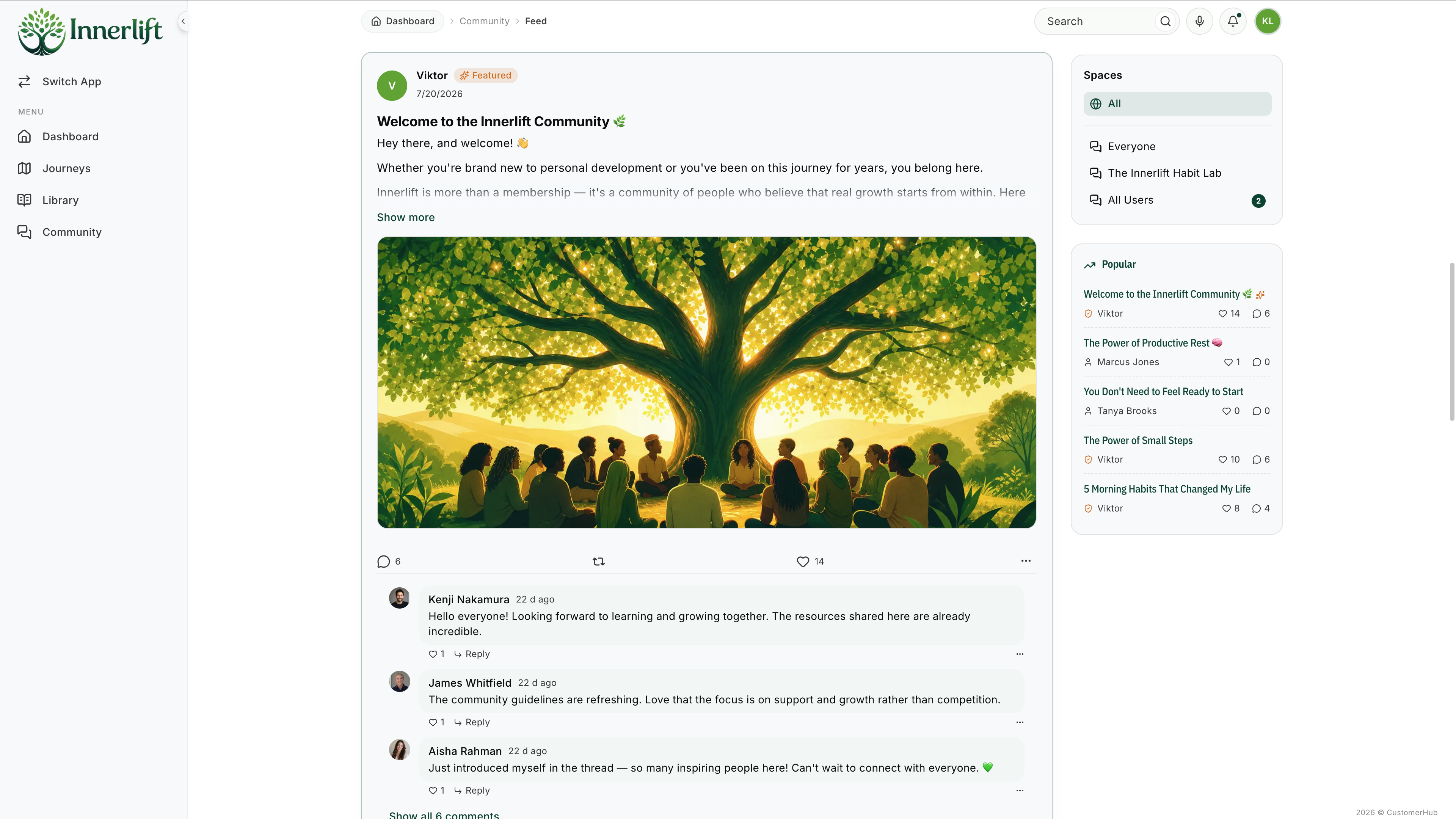
If you're looking for an easier, faster way to launch and grow your online courses or memberships, CustomerHub is the strongest Thinkific alternative for creators who want everything in one place without the complexity.
Unlike Thinkific, which requires you to upgrade plans to unlock essential features, CustomerHub gives you unlimited products, unlimited users, and unlimited multimedia from day one, with zero transaction fees.
Key Features:
- Plug-and-play simplicity. Get your course or membership site live in minutes, not days. Pre-built templates for course overviews, product libraries, and sales pages are ready to customize.
- Guided onboarding flows. Help new members navigate your content step by step, increasing completion rates and satisfaction.
- Private customer feed. Share updates, answer questions, and build community directly inside your platform. No need for Facebook Groups or external forums.
- Built-in sales pages. High-converting templates designed to turn visitors into paying customers, with integrated payments.
- Product library. One dashboard to organize and sell courses, memberships, and digital downloads.
- 7,000+ integrations. Connect your existing CRM, email marketing, and payment tools through direct integrations and Zapier. The Keap connector syncs contacts and triggers automations based on user activity.
- All Access Pass. Bundle all your products into a premium membership tier that automatically grants access to everything.
- Customizable themes. Choose from multiple themes (Motivate, Foundation) and adjust colors, fonts, and layouts without code.
- Responsive support. Unlimited chat support with a dedicated team, plus Done-for-You setup services to make migration painless.
Pros ✅
- Zero transaction fees on every plan
- Unlimited courses, users, and multimedia from the start
- Built for post-sale delivery and client onboarding, not just course hosting
- 30-day free trial (no credit card required)
Cons ❌
- Smaller app marketplace compared to Kajabi or Teachable
- Less well-known brand (but growing fast with 10,000+ portals)
- Engage plan (with full community features) coming soon
Pricing
| Plan | Monthly Price | What's Included |
|---|---|---|
| Onboard | $40/mo | Onboarding flows, filebox, product library, private feed, basic community, reporting, app connectors |
| Educate | $65/mo | Everything in Onboard + full course creation and delivery tools |
| Engage | $107/mo | Everything in Educate + full community features (coming soon) |
All plans include unlimited users, unlimited products, and zero transaction fees. Start with a free 30-day trial.
Best for: Coaches, consultants, and creators who want a simple, affordable platform for delivering courses, memberships, and onboarding — without hidden fees.
Related: See how CustomerHub compares to Kajabi and explore more membership site platforms.
2. Kajabi
Kajabi is a premium all-in-one platform that combines course creation with email marketing, sales funnels, CRM tools, and website building. If you want to manage your entire online business from a single dashboard and don't mind paying a premium, Kajabi is a strong contender.
The platform includes everything from landing page builders to automated email sequences, which means you won't need third-party marketing tools. It also supports coaching programs, podcasts, and community features.
However, the price puts it out of reach for many beginners. Kajabi's Kickstarter plan starts at $89/month but only allows 1 product and 250 contacts — you'll likely need the Basic plan at $179/month to run a real business. Some users also report that organizing courses and sorting members can feel clunky compared to more focused platforms.
Pros ✅
- True all-in-one platform: email marketing, funnels, CRM, and courses
- Zero transaction fees on all plans
- Polished templates and mobile app
- Strong automation and pipeline tools
Cons ❌
- Most expensive option on this list (starts at $89/mo, most creators need the $179/mo plan)
- Can feel overwhelming for simple course setups
- Limited products on the Kickstarter plan (just 1)
Pricing
| Plan | Monthly Price | Key Limits |
|---|---|---|
| Kickstarter | $89/mo | 1 product, 250 contacts, 1 site |
| Basic | $179/mo | 5 products, 1 site, core marketing tools |
| Growth | $249/mo | 15 products, advanced automations |
| Pro | $399/mo | 100 products, 3 sites, full feature set |
For a deeper comparison, check out our guide to Kajabi vs Thinkific or explore more Kajabi alternatives.
Best for: Established creators who want a complete business platform with built-in marketing and are comfortable with premium pricing.
3. Teachable
Teachable is a well-known course platform focused on simplicity and integrated payment processing. It's one of the few platforms that still offers a genuinely free plan, though it comes with a $1 + 10% transaction fee on every sale.
Teachable handles tax compliance and payment processing natively, which is a significant advantage for creators selling internationally. It also offers iOS and Android mobile apps for students, and recently added AI-powered course creation tools.
The trade-off is that the Starter plan charges a 7.5% transaction fee on every sale — on top of Stripe's standard processing fees — and limits you to just 5 products and 100 active students. You also can't remove Teachable branding without the Growth plan at $189/month.
Pros ✅
- Built-in payment processing with automatic tax handling
- Clean, intuitive course builder
- Mobile app for students (iOS and Android)
- AI-powered course creation tools
Cons ❌
- 7.5% transaction fee on Starter plan ($39/month)
- Only 5 products and 100 active students on Starter
- No built-in community features
- Removing branding requires Growth plan ($189/month)
- Only 7-day free trial (shortest in the market)
Pricing
| Plan | Monthly Price | Transaction Fee | Products | Active Students |
|---|---|---|---|---|
| Starter | $39/mo | 7.5% | 5 | 100 |
| Builder | $89/mo | 0% | 10 | 1,000 |
| Growth | $189/mo | 0% | 50 | 5,000 |
| Custom | Contact sales | 0% | Custom | Custom |
Compare options in our full Teachable alternatives guide, or see how Kajabi vs Teachable stack up.
Best for: Creators who value built-in payment processing with tax compliance and want mobile apps for their students. Best on the Builder plan ($89/month) or higher where transaction fees are eliminated.
4. Podia
Podia keeps things refreshingly simple. It offers online courses, digital downloads, coaching, webinars, and built-in email marketing on a platform that's genuinely easy to use.
The Mover plan starts at just $33/month, making it one of the most affordable paid options. The catch is a 5% transaction fee on Mover, but if you're just getting started and your revenue is low, the math often works out better than paying $89+ for a premium platform.
Podia also includes a built-in community feature and email marketing tools, so you won't need to patch together multiple services early on.
Pros ✅
- Very affordable entry point ($33/mo)
- Built-in email marketing and community
- Simple, clean interface. Great for non-technical creators
- 30-day money-back guarantee
Cons ❌
- 5% transaction fee on the Mover plan
- Limited customization compared to Kajabi or CustomerHub
- No advanced analytics or reporting tools
Pricing
| Plan | Monthly Price | Transaction Fee |
|---|---|---|
| Mover | $33/mo | 5% |
| Shaker | $75/mo | 0% |
Best for: Solo creators and side hustlers who want an affordable, no-fuss platform to start selling courses and digital products.
Related: See how Thinkific vs Podia compare in our dedicated guide.
5. Mighty Networks
Mighty Networks is built community-first. If your business model revolves around building an engaged group of learners who interact with each other instead of just consuming content. Mighty Networks is purpose-built for that.
The platform supports both asynchronous courses and live events, with strong tools for discussion, networking, and member engagement. It also offers a branded mobile app on higher-tier plans.
The downside is that Mighty Networks lacks some traditional LMS features like quizzes, assignments, and progress checklists. And the 2% transaction fee on the Launch plan can add up as revenue grows.
Pros ✅
- Best-in-class community engagement tools
- Supports courses, events, live streaming, and challenges
- Branded mobile app (Business plan and above)
- Strong networking and member directory features
Cons ❌
- 2% transaction fee on the Launch plan
- Missing quiz, assignment, and progress tracking features
- Gets expensive quickly at higher tiers
Pricing
| Plan | Monthly Price | Transaction Fee |
|---|---|---|
| Launch | $79/mo | 2% |
| Business | $179/mo | 0% |
| Path-to-Pro | $354/mo | 0% |
Best for: Community builders, membership creators, and educators whose model depends on member interaction and engagement, not just course completion.
Related: If community is core to your business, also check our guide to paid community platforms.
6. LearnWorlds
LearnWorlds stands out for its interactive learning tools. If you're creating courses that need built-in assessments, interactive videos, SCORM compliance, or advanced certificate generation, LearnWorlds delivers features that most competitors don't.
The platform includes a website builder with dozens of templates, customizable course catalogs, and a social community. It supports multiple assessment methods including quizzes, assignments, and formal exams.
The Starter plan is budget-friendly at $29/month, but charges a $5 fee per course enrollment, which can add up quickly if you're selling high-volume, low-cost courses.
Pros ✅
- Interactive video tools (annotations, questions, branching)
- Built-in certificate builder and SCORM support
- Advanced website builder with many templates
- Social community and engagement tools
Cons ❌
- $5 per enrollment on the Starter plan
- Steeper learning curve than simpler platforms
- Advanced features require the $299/mo Learning Center plan
Pricing
| Plan | Monthly Price | Transaction Fee |
|---|---|---|
| Starter | $29/mo | $5 per enrollment |
| Pro Trainer | $99/mo | 0% |
| Learning Center | $299/mo | 0% |
| High Volume & Corporate | Custom | 0% |
Best for: Educators and training organizations that need interactive course features, formal assessments, and professional certificates.
7. FreshLearn
FreshLearn is a newer platform that punches above its weight. It offers a genuinely free plan with no transaction fees, making it one of the lowest-risk ways to start selling courses online.
The platform includes customizable course pages, quizzes, certificates, and an integrated affiliate marketing system. Paid plans add features like live cohorts, email credits, and advanced customizations.
As a younger platform, FreshLearn's ecosystem isn't as mature as Kajabi or Teachable, but for creators who want to keep costs minimal while getting started, it's hard to beat.
Pros ✅
- Free plan with zero transaction fees
- Built-in affiliate marketing tools
- Competitive pricing on paid plans
- Course completion certificates included
Cons ❌
- Relatively new, with a smaller community and fewer integrations
- Limited customization on the free plan
- No built-in community features
Pricing
| Plan | Monthly Price | Key Features |
|---|---|---|
| Free | $0/mo | Basic course creation, no transaction fees |
| Pro | $39/mo | On-demand courses, 3,000 email credits |
| No Brainer | $69/mo | Certifications, live cohorts, 5,000 email credits |
| No Brainer+ | $149/mo | Advanced automation, access control, 12,000 email credits |
Best for: New creators who want to start selling courses with zero upfront cost and grow into paid features over time.
8. Systeme.io
Systeme.io is an all-in-one marketing platform that includes course creation as part of a broader business toolkit. It offers sales funnels, email marketing, membership sites, and automation, all with a genuinely free plan.
For creators who need basic course hosting alongside marketing tools, Systeme.io provides remarkable value at its price point. The free plan supports up to 2,000 contacts with no transaction fees.
The trade-off is that Systeme.io's course creation tools are simpler than dedicated LMS platforms. If you need advanced learning features like interactive videos or detailed progress analytics, you'll want to look elsewhere.
Pros ✅
- Generous free plan (2,000 contacts, no transaction fees)
- Built-in funnels, email marketing, and automation
- Unlimited plan at just $97/month
- No transaction fees on any plan
Cons ❌
- Course creation tools are basic compared to dedicated LMS platforms
- Limited course customization options
- Interface can feel cluttered with so many features
Pricing
| Plan | Monthly Price | Contacts |
|---|---|---|
| Free | $0/mo | 2,000 |
| Startup | $27/mo | 5,000 |
| Webinar | $47/mo | 10,000 |
| Unlimited | $97/mo | Unlimited |
Best for: Entrepreneurs who want a free, all-in-one marketing platform with basic course capabilities. Ideal for digital download sellers and funnel-focused businesses.
9. LearnDash
LearnDash is the go-to choice for WordPress users who want full control over their learning management system. As a WordPress plugin, it lets you host courses on your own website with complete control over design, branding, and functionality.
LearnDash supports drip-feed content, advanced quizzes, certificates, course forums, and various monetization options including subscriptions and memberships. The WordPress ecosystem also means you can extend functionality with thousands of plugins.
The downside is that you're responsible for hosting, security, and maintenance, and there's a steeper learning curve compared to hosted platforms.
Pros ✅
- Full control over your site and data
- Extensive WordPress plugin ecosystem
- One-time annual pricing (no monthly subscription)
- Advanced quiz engine and gamification features
Cons ❌
- Requires WordPress hosting and technical management
- Steeper learning curve for non-technical users
- No built-in email marketing or sales funnels
Pricing
| Option | Price | What's Included |
|---|---|---|
| LearnDash LMS | From $199/year | WordPress plugin, full LMS features |
| LearnDash Cloud | From $29/month | Fully hosted WordPress + LearnDash |
Best for: WordPress power users and developers who want maximum control and customization over their e-learning platform.
10. TalentLMS
TalentLMS is a learning management system designed primarily for corporate training and team education, not individual course creators. If you're training employees, partners, or customers at scale, TalentLMS offers features like learner portals, certification management, and compliance tracking.
The platform is praised for its ease of use and comprehensive feature set. But its pricing is user-based (not course-based), which makes it expensive for creators with large audiences. It's also missing the marketing and sales tools that course creators typically need.
Pros ✅
- Purpose-built for corporate and team training
- Strong compliance and certification features
- Clean, intuitive interface
- Supports SCORM and xAPI content
Cons ❌
- Pricing is per-user and gets expensive with large audiences
- No built-in marketing, funnels, or sales tools
- Not designed for individual course creators or coaches
Pricing
| Plan | Monthly Price | User Limit |
|---|---|---|
| Core | From $139/mo | 1–40 users |
| Grow | From $299/mo | 1–70 users |
| Pro | From $519/mo | 1–100 users |
| Enterprise | Custom | 1,000+ users |
Best for: Organizations and businesses that need a dedicated LMS for employee training, compliance, and professional development. Not recommended for individual course creators or coaches.
11. Circle
Circle has emerged as one of the strongest community-plus-courses platforms in 2026. It combines discussion spaces, events, live rooms, courses, memberships, and a website builder into a single product, with a polished interface that feels modern and cohesive.
Circle's course feature (available on Professional plans and above) integrates directly with the community, so you can create spaces for each course or cohort, host live Q&As alongside course content, and use leaderboards and challenges to drive engagement.
The platform also offers workflows for automation, a member API for custom integrations, and the option to add branded mobile apps through Circle Plus. The community of 27,000+ members provides excellent peer support.
Pros ✅
- Seamless integration of community and courses
- Modern, polished interface with strong design
- Workflows and API access for automation
- Gamification, leaderboards, and member activity scores
Cons ❌
- Not a standalone course platform. Community is the core
- 2% transaction fee on Professional plan
- Removing Circle branding requires Business plan ($199/mo)
- May need additional tools for email marketing and funnels
Pricing
| Plan | Monthly Price | Key Features |
|---|---|---|
| Professional | $89/mo | Unlimited members, courses, events, community, 2% transaction fee |
| Business | $199/mo | Workflows, APIs, remove branding, branded emails |
| Enterprise | $419/mo | AI Agents, advanced analytics, lower fees, priority support |
Best for: Creators and brands building premium community-driven learning experiences where member engagement is as important as course content.
Related: Circle and Mighty Networks are the two strongest community-first platforms. For a broader view, see our guide to e-learning platforms.
12. Skool
Skool is the newest entrant making waves in the creator economy. Founded by Sam Ovens, Skool takes a radically simple approach: one community, one course area, gamification, and that's basically it.
The platform's simplicity is both its greatest strength and biggest limitation. There's no drip content, no quizzes, no certificates, and no assignments. Instead, you get a clean community feed and a straightforward course player. But for creators who believe learning happens through community interaction rather than structured content, Skool's approach works well.
Skool recently introduced a $9/month Hobby plan alongside its $99/month Pro plan, making it more accessible. However, the Hobby plan carries a 10% transaction fee, and even the Pro plan's fees jump from 2.9% to 3.9% on sales above $899 — a detail many reviews miss.
Skool has developed a large and active ecosystem of creators, with many high-profile entrepreneurs and coaches building their communities on the platform. The network effect is real: being on Skool gives you some visibility within its ecosystem. But whether that outweighs the limitations depends on how important structured course features are to your business.
Pros ✅
- Extremely simple setup. Live in minutes
- Strong gamification (points, leaderboards, levels)
- Active creator community and growing ecosystem
- $9/month Hobby plan lowers the barrier to entry
Cons ❌
- 10% transaction fee on Hobby; tiered fees on Pro (3.9% above $899/sale)
- No quizzes, certificates, drip content, or assignments
- Limited customization. You can't deeply brand the experience
- No built-in email marketing or sales funnels
Pricing
| Plan | Monthly Price | Transaction Fee |
|---|---|---|
| Hobby | $9/mo | 10% + $0.30 per sale |
| Pro | $99/mo | 2.9% + $0.30 (≤$899); 3.9% + $0.30 (>$899) |
Best for: Community-first creators who value simplicity over features and want to build an engaged group around their expertise with minimal setup.
Free vs. Paid Thinkific Alternatives: Which Is Right for You?
With Thinkific's free plan gone as of March 2026, the "free vs. paid" question matters more than ever.
Free Alternatives Worth Considering
If you're testing a course concept or keeping startup costs at zero, these platforms offer genuinely free plans:
- Systeme.io. The strongest free option. Includes funnels, email marketing, and course creation with up to 2,000 contacts and no transaction fees.
- FreshLearn. Free course creation with no transaction fees. Good for launching your first digital product.
- Teachable. Free plan available, but with a $1 + 10% fee on every sale. Best for testing only.
When to Go Paid
Free plans typically come with restrictions that force an upgrade sooner than you'd expect:
- Transaction fees eat into revenue as sales grow (Teachable's Free plan takes $1 + 10% per sale)
- Limited courses or students cap your growth potential
- Platform branding on your pages undermines your brand
- Missing features like email marketing, no funnels, no advanced analytics
For most serious creators, starting with an affordable paid plan saves money in the long run. CustomerHub's Onboard plan at $40/month includes unlimited users, unlimited products, and zero transaction fees — making it one of the most cost-effective paths from day one.
Here's a quick cost comparison to illustrate:
| Scenario: $3,000/month revenue | Free Platform (Teachable Free) | Budget Paid (CustomerHub $40) | Premium (Kajabi $179) |
|---|---|---|---|
| Monthly Subscription | $0 | $40 | $179 |
| Transaction Fees | $330 ($1 + 10% × ~30 sales) | $0 | $0 |
| Total Monthly Cost | $330 | $40 | $179 |
| Annual Cost | $3,960 | $480 | $2,148 |
At $3,000/month in revenue, a "free" plan with transaction fees costs more than 8× what a $40/month plan with zero fees costs.
How to Switch From Thinkific (Migration Tips)
Leaving Thinkific doesn't have to be complicated. Here's how to make the transition smooth:
1. Export Your Content and Data
Before canceling, download everything you need:
- Course content: Download all videos, PDFs, and documents you uploaded
- Student data: Export your student list, enrollment records, and email addresses (CSV export available)
- Sales data: Export transaction history for your records
- Course structure: Document your course outlines, module order, and any drip schedules
2. Set Up Your New Platform on a Free Trial
Every platform on this list offers either a free plan or free trial. Use that time to:
- Recreate your course structure on the new platform
- Upload your content and verify everything displays correctly
- Test the student experience from sign-up to course completion
- Set up payment processing and test a transaction
3. Plan Your URL Redirects
If you're using a custom domain with Thinkific, set up 301 redirects from your old course URLs to the new ones. This preserves any SEO value from backlinks and prevents broken links across the web.
4. Communicate With Your Students
Send a clear email to your students explaining:
- What's changing and when
- What they need to do (if anything — ideally nothing)
- How to access their courses on the new platform
- Who to contact if they have questions
Most students won't mind the switch — especially if the new experience is better.
5. Don't Cancel Until Everything Is Live
Run both platforms in parallel for at least a week. Verify all courses are accessible, payments are processing, and students can log in before shutting down Thinkific. This overlap costs one extra month at most and prevents any disruption.
6. Consider Done-for-You Migration
Some platforms offer hands-on migration support. CustomerHub's Done-for-You setup service handles the technical migration for you, including content upload, course setup, and payment configuration. If you're not comfortable with the technical side, this can save hours of work.
How to Choose the Right Thinkific Alternative
With 12 options on the table, the right choice depends on your specific situation. Here's a framework to help you decide:
What Kind of Content Are You Selling?
- Structured courses with assessments? → LearnWorlds or LearnDash
- Community + courses together? → Circle, Mighty Networks, or Skool
- Courses, memberships, and onboarding? → CustomerHub
- Courses with full marketing suite? → Kajabi
What's Your Budget?
- $0/month: Systeme.io or FreshLearn
- Under $50/month: CustomerHub ($40), Podia ($33), or LearnWorlds ($29)
- $50–$100/month: Teachable Pro ($119), Skool Pro ($99), or Circle ($89)
- $100+/month: Kajabi ($179+), Mighty Networks Business ($179)
Do You Need Built-In Marketing Tools?
- Yes, comprehensive: Kajabi (best built-in marketing suite)
- Yes, basic: Systeme.io, Podia, or FreshLearn
- No, I use external tools: CustomerHub, LearnDash, or Circle
How Important Is Community?
- Essential to my model: Mighty Networks, Circle, or Skool
- Nice to have: CustomerHub, Podia, or Kajabi
- Not needed: Teachable, LearnDash, or TalentLMS
Will You Need to Scale?
If you're planning for growth, watch out for:
- Per-user pricing (TalentLMS gets expensive fast)
- Transaction fees that grow with revenue (Skool Hobby, Teachable Free/Basic, Thinkific Basic)
- Product limits (Kajabi Kickstarter caps you at 1 product)
Platforms like CustomerHub, Systeme.io, and LearnDash offer unlimited usage that won't penalize growth.
Quick Recommendation by Use Case
| Your Situation | Best Pick | Why |
|---|---|---|
| Coach/consultant launching first course | CustomerHub ($40/mo) | Simple setup, no fees, onboarding included |
| Want marketing + courses in one place | Kajabi ($89–$179/mo) | Most complete all-in-one platform |
| Need interactive video courses | LearnWorlds ($29–$99/mo) | Best video tools in the market |
| Building a paid community | Mighty Networks ($79/mo) or Skool ($9/mo) | Community-first platforms |
| Bootstrapping on zero budget | Systeme.io (free) or FreshLearn (free) | Genuinely free, no fees |
| WordPress power user | LearnDash ($199/yr) | Full control and self-hosted |
| Done with monthly fees forever | ThriveCart ($495 one-time) | Lifetime pricing model |
Why CustomerHub Is the Best Thinkific Alternative
If you've made it this far, you've seen that every platform involves trade-offs. Here's why CustomerHub eliminates most of them.
Everything Included, Nothing Hidden
While Thinkific charges $199/month just to remove their branding, and Kajabi starts at $179/month for core marketing features, CustomerHub gives you unlimited courses, unlimited users, and unlimited multimedia starting at $40/month — with zero transaction fees.
No surprise charges. No feature gates. No "upgrade to unlock."
Here's a quick comparison of what you pay and what you get:
| Feature | Thinkific Basic ($49/mo) | CustomerHub Onboard ($40/mo) |
|---|---|---|
| Transaction Fees | 5% Stripe surcharge | 0% |
| Products | 5 courses, 1 community | Unlimited |
| Users | Unlimited | Unlimited |
| Custom Branding | ❌ (requires $199/mo) | ✅ |
| Community | ✅ (basic) | ✅ |
| Onboarding Flows | ❌ | ✅ |
| Free Trial | 14 days | 30 days |
Built for What Happens After the Sale
Most course platforms focus on getting the sale. CustomerHub focuses on what happens next. That's where retention, completion rates, and recurring revenue actually live.
With guided onboarding flows, progress tracking, a private customer feed, and the All Access Pass bundling feature, CustomerHub keeps your customers engaged long after they click "buy."
Seamless Integration With Your Existing Tools
If you've already invested in a CRM, email system, or payment processor, CustomerHub fits right in. With 7,000+ integrations through direct connections and Zapier, including a native Keap connector. You won't need to rebuild your tech stack.
Support That Doesn't Require an Upgrade
CustomerHub provides unlimited chat support on every plan, plus Done-for-You setup services to make migration painless. No tiered support. No extra charges for onboarding help.
Transparent Pricing That Grows With You
| Plan | Monthly | Unlimited Users | Unlimited Products | Transaction Fees | Community |
|---|---|---|---|---|---|
| Onboard | $40/mo | ✅ | ✅ | 0% | Basic |
| Educate | $65/mo | ✅ | ✅ | 0% | Basic |
| Engage | $107/mo | ✅ | ✅ | 0% | Full (coming soon) |
Start your free 30-day trial. No credit card required.
FAQs About Thinkific Alternatives
What platforms are similar to Thinkific?
The most popular Thinkific alternatives include CustomerHub, Kajabi, Teachable, Podia, LearnWorlds, and Mighty Networks. Each offers course creation and hosting, but they differ in pricing, marketing tools, community features, and customization options. CustomerHub is the most affordable all-inclusive option, while Kajabi offers the most comprehensive marketing suite.
Which is better, Teachable or Thinkific?
It depends on your priorities. Thinkific offers more branding customization, while Teachable provides built-in payment processing with tax compliance, a significant advantage for international sellers. However, Teachable charges transaction fees on its lower plans (7.5% on Starter), while Thinkific charges Stripe surcharges instead. For a detailed breakdown, see our Thinkific vs Teachable comparison or our Kajabi vs Teachable guide.
Which is better, Thinkific or Kajabi?
Thinkific is primarily a course creation tool ($49/mo starting), while Kajabi is a full business platform that includes email marketing, sales funnels, and CRM ($89/mo starting). If you only need to host courses, Thinkific is more affordable. If you want to manage your entire business from one platform and have the budget, Kajabi offers more. Read our complete Thinkific vs Kajabi guide for the full comparison.
Does Thinkific have a free plan?
No. As of March 2026, Thinkific has discontinued its free plan. It's been replaced with a free trial of their paid plans. Their lowest-tier Basic plan starts at $49/month ($36/month billed annually). If you need a genuinely free option, consider Systeme.io, FreshLearn, or Teachable's free plan.
How much does Thinkific cost per month in 2026?
Thinkific offers four pricing tiers in 2026: Basic at $49/month, Start at $99/month, Grow at $199/month, and Plus with custom pricing. Annual billing saves 25%, bringing prices to $36, $74, and $149/month respectively. Keep in mind that Thinkific also charges Stripe surcharges (5% on Basic, 2% on Start, 1% on Grow) on top of standard payment processing fees.
What is the cheapest Thinkific alternative?
The cheapest paid alternative is LearnWorlds at $29/month (with a $5 per enrollment fee) or Podia at $33/month (with a 5% transaction fee). For a genuinely free option, Systeme.io and FreshLearn both offer free plans with no transaction fees. CustomerHub starts at $40/month with zero transaction fees and unlimited everything. Often the best value when you factor in total cost of ownership.
Can I migrate my courses from Thinkific?
Yes, most platforms support migration from Thinkific, though the process varies. CustomerHub offers Done-for-You setup services that handle the heavy lifting for you. For other platforms, you'll typically need to export your course content, student data, and payment history, then re-import it. Video content usually transfers easily since most platforms support standard video files and embeds.
Is Thinkific good for beginners?
Thinkific has a relatively intuitive course builder, but it's no longer the best starting point for beginners since removing its free plan in March 2026. Beginners now need to commit to at least $49/month, and the Basic plan comes with a 5% Stripe surcharge that adds up quickly. Platforms like FreshLearn (free), Systeme.io (free), or CustomerHub ($40/month, no fees) offer more beginner-friendly entry points.
What is the best Thinkific alternative with no transaction fees?
CustomerHub ($40/mo), Kajabi ($89/mo), and Systeme.io (free) all charge zero transaction fees on every plan. Among paid options, CustomerHub offers the best value with unlimited courses, users, and multimedia included. Systeme.io is the best free option, though it has more limited course features. Thinkific charges Stripe surcharges ranging from 1% to 5% depending on your plan tier.
Can I use a Thinkific alternative with my existing email marketing tools?
Yes. Most Thinkific alternatives offer integrations with popular email marketing platforms. CustomerHub connects to over 7,000 tools through direct integrations and Zapier, including Keap, Mailchimp, ConvertKit, and ActiveCampaign. Kajabi includes its own built-in email marketing. Teachable and Podia also support Zapier connections. If you're already using a CRM or email platform, look for a course platform that integrates natively rather than requiring workarounds.
Which Thinkific alternative is best for selling memberships and courses together?
CustomerHub and Kajabi are the strongest options for selling both memberships and courses from one platform. CustomerHub includes an All Access Pass feature that bundles all your products into a premium membership tier, plus built-in onboarding flows to guide members through your content. Kajabi offers similar bundling through its membership and offer features. For community-first memberships, consider Mighty Networks ($79/mo) or Skool ($9/mo with 10% fee). See our full best membership site platforms guide for more options.
What are the best Thinkific alternatives for selling memberships?
If memberships are a key part of your business, look for platforms with flexible recurring billing and content access controls. CustomerHub supports memberships with automated Stripe billing and tiered access from its $40/month plan. Kajabi includes membership features with built-in marketing tools. Mighty Networks and Circle both offer memberships integrated with community features. Podia also supports memberships on all paid plans.
How do Thinkific's Stripe surcharges work?
Thinkific charges a percentage-based surcharge on top of Stripe's standard 2.9% + $0.30 processing fee. On the Basic plan ($49/month), the surcharge is 5%, making the effective rate ~7.9% per transaction. On Start ($99/month), it's 2% (~4.9% effective). On Grow ($199/month), it's 1% (~3.9% effective). Only the Plus plan (custom pricing) has 0% surcharge. These surcharges are separate from your monthly subscription and can significantly impact your profits as revenue grows.
Last updated: April 2026. All pricing and features verified against official sources. Prices shown are for monthly billing unless noted otherwise.