
If you are thinking about how to create online courses step by step without being trapped by the tech, planning content, or overthinking, then you are not alone. According to a recent creator trends survey, 68% of first-time course builders delay their launch because they are unsure where to start. This article breaks the entire journey into easy-to-implement actions that eventually help the CustomerHub tool remove friction during the planning and scaling stages.
Why Should You Begin by Providing a Strong Course Promise?

Before diving into lessons, it is essential to have a clear promise—with courses that achieve outcomes 32–45% better than the benchmarks in the field.
A strong promise includes:
- The audience who will benefit from the course.
- The change in the student's condition.
- The time or method.
By the time creators complete the structuring phase in CustomerHub, they end up with more focused courses because the structure makes them clearer. Some of the creators have gone so far as to say they saved up to 40% of their time planning by using this built-in flow.
A fitness trainer considered creating a metabolism course. It was a huge task. She opened the outline builder in CustomerHub and structured it as follows: “Increase your metabolism in 21 days by following simple routines for beginners.”
Just that concise, clear message enabled her to get 27% more pre-sales during the customer window, as her first sale was to the warm-up list.
Do you have a way to test whether your course topic is appropriate before spending several weeks making the video?
People may not need the course at all and ultimately waste time. However, you can avoid this by:
- Running quick polls or Q&A on social channels
- Posting a simple waitlist page
- Hosting a small paid beta version
- Offering a personalized 24-hour trial scheme through CustomerHub
Because CustomerHub lets you present a simple product in minutes, you can gauge market interest by observing real user behavior rather than guessing. At the same time, many creators might find that only a small percentage (20%–40%) of their initial ideas actually add value to students, which is already a significant barrier to producing unnecessary content.
A leadership trainer has created three mini-modules and evaluated them with a small group of users within CustomerHub. One of the topics attracted 72% of users, making it the focal point of her flagship course. She decided to let go of the other modules at that time to reduce production time by more than half and increase students' involvement during the early days.
What is your preferred way to come up with a step-by-step structure for your course content?

Once the validation process is finished, the course's structuring will become your primary concern. Usually, high-performing courses follow the sequence below:
- Welcome & Orientation — reduces confusion
- Module 1: Quick win — boosts motivation
- Modules 2–4: Core framework — deliver main transformation
- Module 5: Implementation — help students apply
- Bonus: Supplementary tools — templates
- Final video: Follow-up & the next steps
The creators consider the drag-and-drop builder in CustomerHub a lifesaver, since it lets them make changes to course modules without having to mess with the complex LMS setup. Just by moving a single lesson, one can already improve the completion rate.
A marketing consultant arranged her 18-lesson course in the following order, placing the “first quick win” lesson first. What happened? A 24% improvement in lesson completion was observed, with the effect evident within 2 weeks.
What Gear Do You Really Need for Recording a Training Course?
Most creators believe they need the best video camera, the most powerful lighting system, and the highest-quality studio microphone. That's not true.
A minimal yet functional setup should have:
- A smartphone or HD webcam
- A ring light or a very bright window
- A basic clip-on microphone
- Simple slides or screen recording
- CustomerHub for content hosting and general organization
A survey of content creators discovered that 47% of the most successful online courses were created using amateur equipment. Learners' main concern is content clarity, while perfection is less important. Using CustomerHub lets you watch the lesson straight away, so you can improve the video by removing the technical difficulties.
What is the best way to present a lesson to maximize student engagement?

A course's student engagement is a crucial element. A well-thought-out delivery plan can increase completion rates to 60%.
The following have proven to be very effective:
- Stick to the time frame of 6–10 minutes for lessons
- Provide supporting materials or summaries
- Space the lessons out so as not to overwhelm students
- Set up review points
- Establish a place for the community so that it is interactive
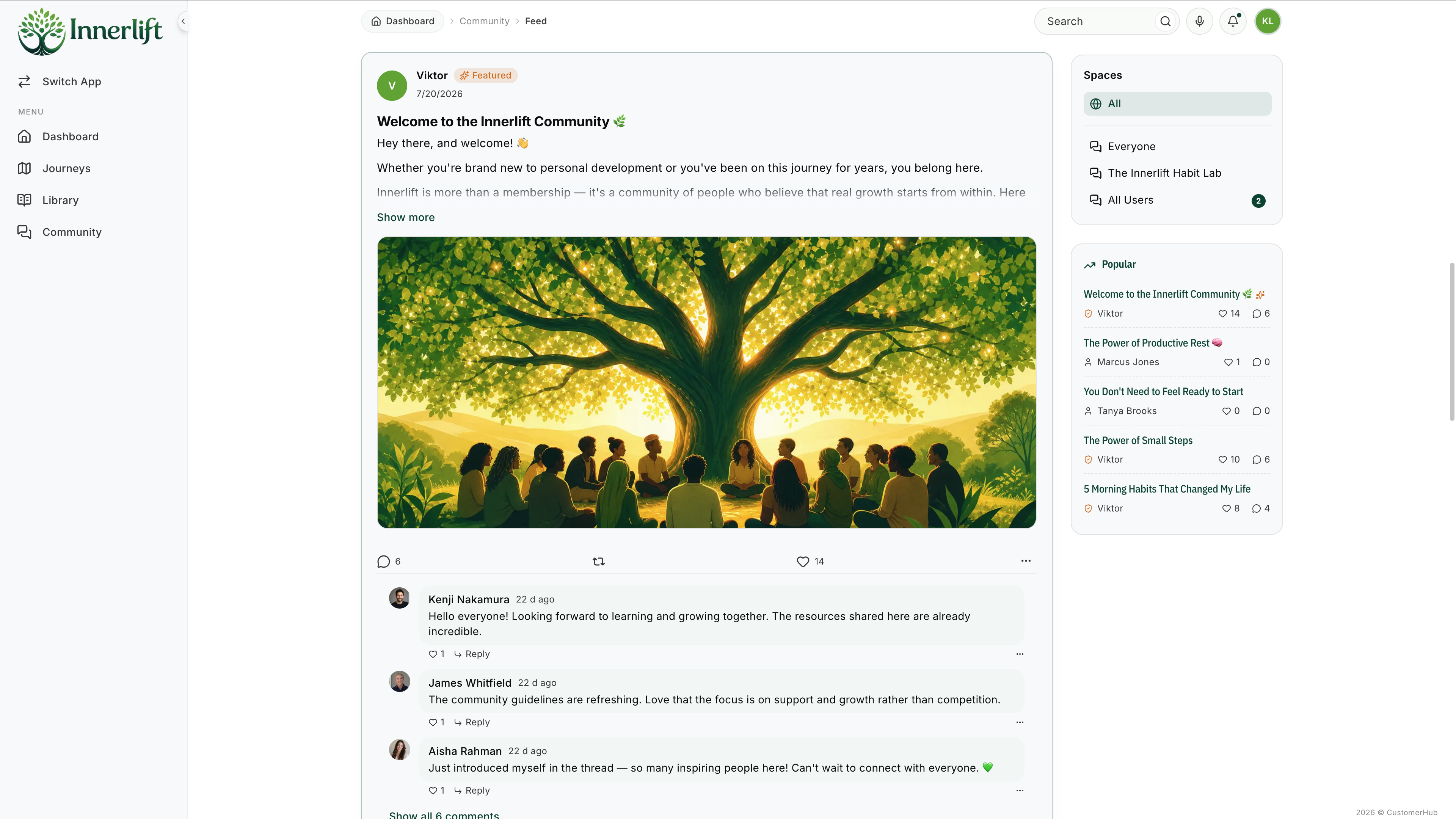
The community and course combination provided by CustomerHub addresses the major problem faced by creators: too many fragmented tools to handle. With this solution, there is no need for the creator to go back and forth across platforms like Slack, Facebook Groups, or separate communities, since everything will be hosted in one place.
It is not uncommon for this combined model to boost student interaction rates by three times or more.
What Should Be Your Online Course Pricing Strategy for the Most Optimal Results?
The combination of value perception, transformation level, and audience preparedness are the three main aspects of course pricing, not mere speculation.
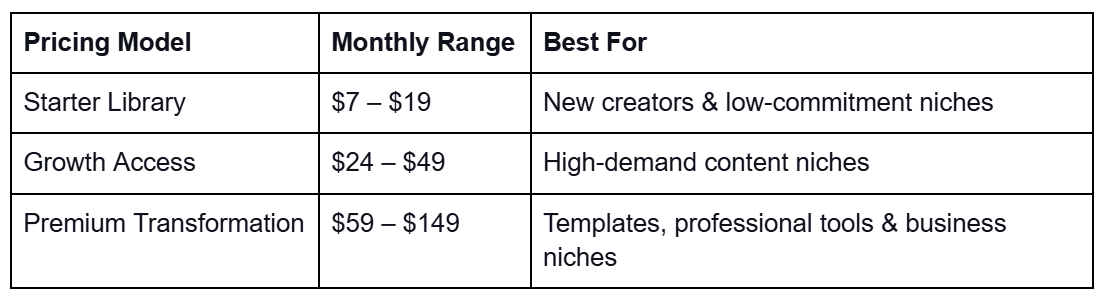
CustomerHub lets you test price points across three cases: subscriptions, single-time pricing, and bundles.
This adaptability offers a speedy way to make some discoveries.
For instance, when a yoga instructor saw her students' metrics, she raised the price of her training module from $97 to $147 in CustomerHub—the result: a 52% revenue increase without spending a penny extra on marketing.
How to release a course
Build anticipation by showing parts of your course and working out the details.
Lay it out following the beta testers’ progress
Open the course for a limited time only
Give the instructions right away
The first week of the launch is the busiest for course developers. But CustomerHub's automated onboarding system answers most of the questions:
- Initial steps
- Modules to start with
- Community suggestions
- Progress tracking
A single business coach released her course to her 212 email subscribers, and 41 students enrolled (19.3%). She mentioned having reduced support messages by 70% after just 2 days, thanks to CustomerHub’s onboarding.
How Do You Keep Students Engaged Long After the Launch?
The biggest challenge is not the launch itself, but rather maintaining student activity.
To maintain engagement:
- Weekly prompts
- Challenges
- Student wins acknowledgment
- Community talks once a month
- Update modules regularly
CustomerHub service covers all that through:
- Inbuilt community thread visibility
- Content updates are visible to students right away
- Progress check
When creators combine “course + community” within a single ecosystem, interactions typically increase by 2.5–3×—a key driver of retention.
What’s the Best Way to Scale Your Online Course After Your First Launch?
To scale:
- Turn your launch into evergreen content
- Course + coaching bundle
- Memberships
- Advanced programs
- Motivate your customers to invite
CustomerHub offers a full range of products and services for recurring payments, resulting in very smooth growth. In most cases, content creators earn four to five figures per month without migrating to any other platform.